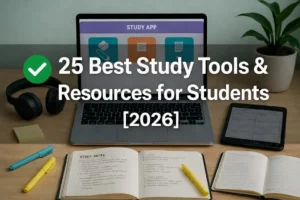
Study tools and resources include apps, websites, and physical tools that help students stay organized, focus better, and learn more efficiently.
In this guide, you’ll find the best study apps, websites, AI tools, and study gadgets students actually use in 2026 — including free options, Reddit-recommended picks, and tools we’ve personally tested.
Whether you’re in high school, college, or prepping for AP exams, these tools help with planning, focus, note-taking, and exam prep — without wasting time on gimmicks.
We’ve also put together a full Coursera for Students guide covering free courses, certificates, and Plus subscription details.
AI-powered platforms are becoming essential for modern learners. We’ve curated a practical list of
👉 the best AI tools for students and ethical academic use
to help students study smarter without compromising integrity.
So what exactly counts as a “study tool or resource”?
Study tools and resources are digital or physical items that help students stay productive, improve focus, manage time, or retain information more effectively. This includes apps, planners, gadgets, and learning aids.
If your teen thrives on that mix, hybrid high schools might be the ideal environment for putting these tools to full use.
Best Study Apps for Students (Free & Paid)
If you’re looking for study apps that actually help (not distract), this is the section you want. These apps are popular for a reason — real students use them daily to plan assignments, memorize faster, and stay focused when motivation drops.
I’ve included free tools, optional upgrades, and honest notes on who each app is best for — based on student feedback from Reddit, forums, and real-world use.
Quizlet — Best Flashcard App for Memorization & Exams
Quizlet is still one of the most effective study apps in 2025, especially for vocab-heavy subjects like biology, history, languages, and AP exams.
Why students still love it:
- Turns notes into flashcards in minutes
- “Learn” and “Test” modes adapt to what you get wrong
- Massive library of shared decks (huge time-saver)
“No joke, I used Quizlet to cram for AP Bio and literally memorized the whole endocrine system in two nights.”
— u/bioslump, r/APStudents
Best for:
AP exams, SAT vocab, medical terminology, last-minute review
Free vs Paid:
Free is enough for most students. Paid adds advanced tracking and ad-free studying.
MyStudyLife — Best Free Homework & Class Planner
If you want structure without paying for a planner, MyStudyLife is hard to beat. It’s designed specifically for students — not generic productivity users.
What makes it stand out:
- Tracks classes, assignments, and exams together
- Works with rotating schedules and block periods
- Syncs across phone, tablet, and laptop
I’d recommend this if Google Calendar feels overwhelming but you still need deadlines and reminders.
Best for:
High school & college students juggling multiple subjects
Cost: 100% free
These tools are perfect, especially if you’re following our last-minute SAT tips.
Forest — Best Focus App (Pomodoro That Actually Works)
Forest helps you stay off your phone while studying by turning focus time into a game. Set a timer, plant a virtual tree — leave the app, and the tree dies. Simple, but weirdly effective.
Why it works:
- Encourages short, focused study sprints
- Reduces mindless phone checking
- Supports Pomodoro-style breaks
Many students pair Forest with lo-fi music or noise-canceling headphones for distraction-free sessions.
Best for:
Procrastinators, ADHD learners, long study sessions
Cost: Free (optional low-cost premium)
Along with these Study Apps, you can even grab Coursera courses for free with Coursera Financial Aid.
Anki — Best Advanced Flashcard App (Spaced Repetition)
Anki isn’t flashy, but it’s incredibly powerful. It uses spaced repetition algorithms proven to boost long-term memory — which is why med students swear by it.
Why it’s different:
- Shows cards exactly when you’re about to forget them
- Fully customizable (but steeper learning curve)
- Excellent for cumulative subjects
Best for:
Med school, law school, language learning, long-term retention
Cost: Free on desktop & Android (paid on iOS)
GoodNotes / Notability — Best iPad Study Apps for Note-Takers
If you use an iPad, these apps can replace physical notebooks entirely.
What students like:
- Handwritten notes with Apple Pencil
- Easy annotation of PDFs and slides
- Clean organization by subject or semester
They work especially well when paired with digital planners or lecture slides.
Best for:
iPad users, visual learners, handwritten notes
Cost: Paid (one-time or subscription)
Quizlet vs Forest vs MyStudyLife: Best Free Study Apps Compared
| App | Best For | Syncs Across Devices | Bonus Features |
|---|---|---|---|
| Quizlet | Flashcards, vocab-heavy | ✅ Yes | Spaced repetition, test mode |
| MyStudyLife | Assignments, class planning | ✅ Yes | Calendar + to-dos, works offline |
| Forest | Focus, Pomodoro technique | ✅ Yes | Gamified focus, real tree impact |
| AnkiMobile | Advanced flashcard control | ❌ (iOS only, paid) | Algorithmic spaced repetition |
Note: Free apps are amazing, but pairing them with physical tools — like whiteboards, timers, or noise-canceling headphones — takes things up a notch. Check out our Amazon picks below.
Pro Tip (Most Students Miss This)
The best setup isn’t one app — it’s a combo:
- Quizlet or Anki for memorization
- MyStudyLife for deadlines
- Forest for focus
That stack alone covers 90% of student study needs.
Up next, let’s look at study websites students use for free learning, lectures, and practice — no apps required.
Not just tools—sometimes it’s about mindset. Here’s our stress-reducing strategies.
Resource: Free AP Study Schedule Maker
Want a ready-to-use planner designed for exam prep?
→ Grab our free study schedule templates here
Perfect to use with MyStudyLife or Google Calendar.
Alongside these tools, Coursera offers structured learning — I’ve reviewed the best Coursera courses for students here.”
Best Study Websites for Students
Not every study tool needs to be an app. Some of the most powerful study resources are websites — especially when you need clear explanations, full courses, or reliable academic material without downloading anything.
These study websites are widely used by students in high school, college, and AP prep, and most of them are completely free.
Relevant: Tools Tutors Actually Use.
MIT OpenCourseWare — Best Free College-Level Courses
MIT OpenCourseWare (OCW) is one of the most trusted free learning websites on the internet. It publishes real MIT course materials — including lecture notes, problem sets, and exams — for anyone to use.
Why students use it:
- Covers STEM subjects exceptionally well
- Great for self-study, homeschooling, or exam prep
- No signup, no paywall
I’ve seen students use MIT OCW to re-learn calculus, understand physics concepts, or prepare ahead for college-level courses.
Best for:
Math, physics, engineering, computer science
Cost: Free
Open Yale Courses — Best for Humanities & Social Sciences
If you prefer lecture-style explanations, Open Yale Courses is excellent. It offers full recorded courses taught by Yale professors, especially in humanities and social sciences.
What makes it useful:
- Clear, structured lectures
- Great pacing for self-learners
- Ideal for essay-based subjects
Students often use these lectures to clarify concepts or gather perspectives for writing assignments.
Best for:
Philosophy, economics, psychology, history
Cost: Free
Khan Academy — Best Study Website for High School & AP Prep
Khan Academy remains one of the most student-friendly study websites, especially for high school, middle school, and AP exam prep.
Why it still works:
- Step-by-step explanations
- Practice problems with instant feedback
- Aligned with school curricula
In my opinion, it’s one of the best places to fix weak foundations before moving to harder material.
Best for:
Math, science, SAT, AP exams
Cost: Free
Coursera — Best for Structured Online Courses
Coursera partners with universities and companies to offer structured online courses. While many courses are paid, students can often access content for free via audit mode or financial aid.
Why students use it:
- University-level instruction
- Certificates for resumes or LinkedIn
- Clear learning paths
If you’re serious about a topic — like data science, business, or programming — Coursera gives structure that random videos don’t.
👉 We’ve broken this down fully in our Coursera for Students guide (free access, certificates, and Plus explained).
Best for:
College students, skill-building, career prep
Cost: Free (audit) / Paid (certificates)
Get Unlimited Courses & Certificates with Coursera Plus
Learn from top universities, earn real certificates, and study at your own pace — all in one plan.
👉 Start Coursera Plus (Cancel Anytime)
College Board & Official .EDU Sites — Best for Exam Accuracy
For AP exams and standardized tests, official sources matter. College Board and university (.edu) websites provide the most accurate information.
Why they matter:
- Official exam formats & scoring
- Sample questions and frameworks
- No misinformation
I always recommend checking these sites before relying on third-party summaries.
Best for:
AP exams, admissions info, official guidelines
Cost: Free
Quick Comparison: Best Study Websites
| Website | Best For | Subjects | Free |
|---|---|---|---|
| MIT OpenCourseWare | College-level self-study | STEM | ✅ Yes |
| Open Yale Courses | Lecture-based learning | Humanities | ✅ Yes |
| Khan Academy | School & AP prep | Math, Science | ✅ Yes |
| Coursera | Structured courses | Mixed | ⚠️ Partial |
| College Board / .EDU | Exam accuracy | AP, Admissions | ✅ Yes |
How Students Actually Use These Websites (Real Tip)
Most students don’t rely on just one website. A smarter approach is:
- Khan Academy for foundations
- MIT OCW or Yale for depth
- Coursera for structured progression
- Official .edu sites for exam rules
That combo saves time and avoids misinformation.
Must-Have Amazon Study Tools (Budget + Premium Picks)
Alright, let’s talk gear. You don’t need fancy gadgets to study—but some tools just make things smoother, faster, and frankly, a bit more enjoyable. Whether you’re dorm-bound or grinding at your kitchen table, here are a few Amazon study finds I’d recommend—personally tested or heavily upvoted on Reddit.
Want to find the latest back-to-school deals on study supplies? Check out our full list here!”
Best Noise-Cancelling Headphones for Students
Block out roommates, traffic, even dorm party chaos
If you’ve ever tried to read during a Netflix binge in the background—you get it. Noise-cancelling headphones are a game changer.
We tested several, but these three stood out in terms of value, comfort, and actual noise-blocking power:
- Sony WH-1000XM5 – Best overall (pricey, but elite)
- Anker Soundcore Life Q30 – Budget-friendly & shockingly good
- Bose QuietComfort 45 – Premium comfort, ideal for long sessions
Tech makes a difference—especially good headphones. Check out Best Headphones for Online Classes for smart audio picks that won’t break your study rhythm.
Rocketbook Smart Reusable Notebook
Digitize your notes. Save trees. Feel like a futuristic genius.
This thing is Reddit-famous for a reason. You write like normal with a special pen, scan the page using the app, and boom—your notes get stored in Google Drive, Dropbox, or email. Then? Just wipe the page and reuse it.
Disclosure: This post contains affiliate links. If you buy through them, we may earn a small commission at no extra cost to you.
Blue Light Glasses
“I didn’t believe they worked either… until my headaches stopped.”
Staring at screens for hours messes with your eyes—and sleep. I used to think these were a gimmick. Then I tried them. No more screen fatigue, especially during late-night cramming or Zoom marathons.
🔗 Top-rated blue light glasses on Amazon
LED Desk Lamp with Timer + USB
Dorm-approved. Eyes approved.
A solid desk lamp is underrated. This one has adjustable brightness, a built-in study timer, and even USB charging for your phone or Kindle. Perfect for tiny dorm desks or late-night study corners.
Sticky Tabs + Flashcards + Pomodoro Timer
The “Study Survival Pack” I wish I had sooner.
You don’t need a planner empire—just some basics:
- Sticky index tabs (mark chapters)
- Flashcards (DIY + reusable)
- Pomodoro timer (stay focused, take real breaks)
I bundled these in a Study Survival Packon Amazon for convenience.
Want the full Amazon checklist?
I pulled together a free PDF of all my go-to study gear (plus a few bonus productivity hacks).
Download it below and start building your perfect setup.
Get the Study Gear Checklist PDF » (email opt-in)
🔗 Other Tools Worth Checking Out:
- 🎧 Best Noise Cancelling Headphones for Studying – 2025
- 5 Best Affordable Chromebooks for Back to School
Books That Teach You How to Study (Not Just What to Study)
Okay, hot take: most students don’t actually know how to study — and it’s not their fault. Schools rarely teach real learning strategies. Instead, we cram, highlight random stuff, and hope for the best.
But there are a few books that completely shift how you approach studying — especially if you’re self-learning for something like AP exams or college prep.
Honestly?
If I had read “Make It Stick” in high school, I’d probably still be bragging about my GPA today.
Here are a few study skill books that are actually backed by research — not just vibes:
✅ Make It Stick: The Science of Successful Learning
By Peter C. Brown
This one’s kind of legendary. It breaks down why rereading and cramming don’t work — and what actually helps your brain retain information (like spacing, retrieval, and interleaving). Tons of Redditors on r/GetStudying swear by it.
Best for: AP self-learners, college students, or anyone who keeps “studying” but forgetting everything.
✅ The Everything Guide to Study Skills
By Cynthia C. Muchnick
Less science-heavy, more practical. This book gives you templates, checklists, and simple techniques you can try tonight. I’d recommend it for middle or high schoolers who need quick, low-pressure strategies.
Best for: Teens, ADHD learners, or anyone who needs a flexible system.
✅ Essential Study Skills
By Linda Wong
This one’s often used in first-year college classes. It’s like a full course on how to manage time, take notes, prep for exams, and stay focused. In my opinion, it’s not super flashy — but it’s reliable.
Best for: College freshmen, returning adult learners.
Source Tip: You can back this up by linking to CollegeBoard’s Study Tips or this Harvard PDF on Learning Science to boost credibility.
Planning to self-study for APs?
👉 Here’s our step-by-step guide to scoring a 5 without a class
And don’t forget to use our Free AP Study Schedule Maker to stay on track.
Best AI Study Tools
Whether you’re in high school, college, or preparing for AP exams, these AI study apps and online tools help you stay organized, save time, and actually learn faster.
And no — they’re not just for “cheating.” Used right, these AI tools are like having a super-focused, never-tired study buddy who knows exactly what you need.
Planners are still one of the most underrated study tools—here’s my breakdown of the [best academic planners].
Notion AI – The Best Free Study Planner + Notes Tool
I’d recommend Notion AI if you want all your class materials — reading summaries, weekly planners, flashcards — in one clean, brainy workspace.
What makes it killer for students:
- Auto-generates notes from pasted text or PDFs
- Can help restructure messy outlines into clean summaries
- Integrates seamlessly with your existing Notion dashboards
“I started dumping all my lecture notes into Notion AI — now it spits out flashcards and even quiz questions. Total game changer.” — user on r/college
There’s even a student template pack floating around on Reddit that includes AI-powered GPA trackers and deadline dashboards.
Use FAFSA alongside scholarship search tools.
ChatGPT – Free AI Study Assistant for Homework & Flashcards
If you haven’t already tried ChatGPT, you’re missing out on one of the most helpful (and free) study tools of 2025.
Here’s what students are using it for:
- Asking “explain like I’m 5” questions
- Getting real-time feedback on essay structure
- Turning textbook chapters into flashcard Q&A
I’ve seen folks share student prompt bundles on PromptBase — super handy if you don’t know where to start.
In my opinion, GPT is best when you’re stuck, confused, or just need to sanity-check your understanding.
Want premium features like PDF upload, GPT-4, and memory? I’d recommend ChatGPT Plus — especially if you’re juggling multiple subjects or writing-heavy classes.
Quizlet AI — Smarter Flashcards & Practice Tests
Flashcards remain one of the most evidence-backed learning tools, and Quizlet’s AI upgrade makes them far more efficient.
What students love:
- Converts notes directly into flashcards.
- Generates adaptive practice tests targeting your weak areas.
- Works especially well for AP, SAT, GRE, and med school prep.
Many college students combine Notion AI → Quizlet workflow: summarize notes in Notion, then import to Quizlet for targeted drilling.
Perplexity AI — Reliable Research with Sources
When it comes to essays and research, Perplexity is emerging as a go-to. Unlike ChatGPT, it always cites sources.
Why it matters:
- Answers are footnoted with links — easy to cross-check.
- Reduces time wasted scanning irrelevant Google results.
- Ideal for building a reading list or comparing theories.
Example: Searching “Keynes vs Hayek economic theories simplified” produces a clear comparison with citations from JSTOR and university blogs — something students can directly use in assignments.
MagicSchool.ai – AI Study Tool for Teachers & Education Majors
Now if you’re in education programs or doing student teaching, MagicSchool.ai might be your new favorite co-teacher.
It’s not just another AI chatbot. It’s tailored for:
- Lesson planning
- Curriculum alignment
- Creating classroom activities, rubrics, and even parent notes
Reddit’s r/Teachers and r/EdTech have tons of real-world praise for it — especially from student teachers building their first units.
“MagicSchool basically wrote half my lesson plan structure. I still personalize it, but the scaffolding saves hours.” — Reddit user
Read more:
👉 the best AI tools for students (Full list)
Related Post You’ll Love
“If you’re exploring AI tools for coursework, you might also like our 2026 Online Education Platforms Guide — some platforms now bake AI directly into their learning dashboards.”
Digital + Printable Planners to Stay on Track
Let’s be real for a sec: planners either become your best friend… or a forgotten PDF buried in your downloads folder.
In my case? I bought 3 in one week — a sleek digital one from Etsy, a TikTok-famous planner on Amazon, and a GoodNotes layout from Reddit. Only one actually helped me stay on track.
So I pulled together the ones students (and I) actually use — no gimmicks, just layouts that work for real class schedules, test blocks, and “why do I have 3 essays due Friday?” moments.
Best Digital Planners for iPad (GoodNotes/Notability)
If you’ve got an iPad, GoodNotes or Notability can turn it into a total productivity machine. But not all digital planners are built the same.
I’d recommend:
- Focus Planner for Students by PaperlyPlanners (Etsy) – weekly + Pomodoro layout
- Minimal Student Planner 2025 (Reddit recommended) – clean design, semester blocks, undated
- Studygram Pack – Daily, Weekly, Goal Tracker – made specifically for iPad stylus use
What I like? Most of these are under $10 and let you duplicate as needed. Here’s what most students miss: the best digital planners are simple. If it takes longer to plan your day than do your homework… it’s a no.
Pro Tip: Look for planners that include recurring schedule slots for labs, work shifts, and club meetings. Saves so much time each week.
Amazon Study Planners Under $20
Honestly, some of the best study planners aren’t expensive at all. I’ve tested a bunch under $20, and here are the standouts:
| Planner | Layout Style | Price | Best For |
|---|---|---|---|
| Class Tracker Ultimate Student Planner | Weekly + Assignment Tracker | ~$19 | High school & college |
| Blue Sky Academic Year Planner | Monthly + Goals | ~$12 | Minimalist learners |
| Bloom Daily Planner for Students | Weekly + Motivational | ~$15 | Students who love structure |
Etsy Printables You Can Download Today
Don’t want to wait for shipping? Etsy has tons of instant-download study planner bundles.
I’d suggest:
- Exam Prep Toolkit (Planner + Flashcard templates) — great for finals week
- Student Weekly Dashboard (minimal design) — super popular on r/Notion
- ADHD-Friendly Printable Planner — structured but low overwhelm
What I’ve seen others do: print just the daily pages and staple them on your desk or wall for accountability. Works surprisingly well during midterms.
Comparison Table: Top Study Planners for 2025
| Planner Name | Type | Key Features | Best For | Price | Buy Link |
|---|---|---|---|---|---|
| Class Tracker Ultimate Student Planner | Physical (Amazon) | Weekly layout, assignment tracker, goal-setting pages | High school & college students with multiple subjects | ~$19 | View on Amazon |
| Blue Sky Academic Year Planner | Physical (Amazon) | Monthly + weekly spread, clean minimalist design | Students who prefer low-clutter planning | ~$12 | View on Amazon |
| Bloom Daily Planner for Students | Physical (Amazon) | Motivational quotes, habit tracker, reflection prompts | Students who like guided journaling + structure | ~$15 | View on Amazon |
| Paperly Digital Focus Planner | Digital (Etsy, iPad) | Weekly + Pomodoro layout, dated & undated versions | iPad/GoodNotes users | ~$8 | View on Etsy |
| ADHD-Friendly Student Planner (Printable) | Printable (Etsy) | Time-blocking, low-distraction design, flexible pages | Students who need structure without overwhelm | ~$5 | View on Etsy |
“I’d recommend starting with either the Bloom Planner if you like guided prompts, or the Paperly one if you’re using an iPad. Both are super beginner-friendly but actually practical.”
“ Honestly, some of the best study planners aren’t expensive at all. We tested dozens and here are the top picks that didn’t break the bank.”
Chrome Extensions & Browser Add-ons That Help
Most students don’t realize how powerful a few Chrome extensions can be — especially when juggling online classes, note-heavy lectures, or tight assignment deadlines.
Honestly, half the time I see students struggling, it’s not about effort… they’re just not using the tools that make life easier.
Here are a few underrated (but seriously useful) browser tools students actually use — whether you’re cramming for finals, or just trying to survive that 8AM econ lecture.
Grammarly (Free vs. Paid — What’s Actually Worth It?)
Let’s start with the obvious one — Grammarly. Yeah, you’ve probably seen the ads. But the real value isn’t just fixing commas — it’s how fast it helps you rewrite clunky sentences (especially when you’re brain-fried at 1AM).
- Free version is great for basic grammar + spelling
- Paid version is helpful if you’re writing essays weekly or applying to scholarships (more tone + clarity tools)
“Grammarly basically rewrote my entire application essay when I couldn’t think straight — lifesaver.” — via r/CollegeEssayReview
Taking summer classes or an online diploma? Grammarly can help streamline all those discussion posts and essays. Check out these resources:
Evernote Web Clipper — Your Brain’s External Hard Drive
Ever read an article for class and think “I’ll remember this for the essay later”? You won’t. That’s where Evernote Web Clipper comes in.
- Save full articles, highlight quotes, and tag everything for later
- Way better than screenshotting or bookmarking and forgetting
I’d recommend it for research-heavy subjects, especially when you’ve got five tabs open and zero focus.
Momentum — A Visual Vibe Check (That Actually Helps)
Okay, this one’s more for vibes, but hear me out. Momentum replaces your new tab screen with a calming image, your to-dos, and a daily focus.
- Helps reset your brain between study sprints
- No complex setup — it’s just there, reminding you what you’re working toward
“Weirdly keeps me grounded. Also reminds me I’ve been procrastinating for 3 hours.” — Quora thread on productivity hacks
Otter.ai — The MVP for Long Lectures
If you’re doing online classes or hybrid learning, this is a must-have. Otter.ai transcribes lectures in real-time — even with background noise. It’s been a lifesaver for students with ADHD or anyone who just… zones out halfway through.
“Otter saved me in that 3-hour biology lecture. I couldn’t keep up otherwise.” — from r/GetStudying
Use it for:
- Lecture note backups
- Transcribing Zoom replays
- Group project meetings
Quick Tip:
If you’re taking summer classes or working on an online diploma, these tools can seriously level up how you manage notes, deadlines, and discussions. They’re free, lightweight, and work right inside your browser.
Best Free Study Communities for Students (Compared in 2026)
Studying solo is fine… until you hit that 9pm brain fog and can’t tell if mitochondria is a city or a science term.
That’s where free online study communities come in. I’ve found some seriously helpful ones where real students hang out, share resources, vent about exams, and even keep each other accountable.
Here are the best spots students use in 2025 (no fees, no fluff):
1. Study Together Discord Server
If you haven’t tried this one yet—you’re missing out. “Study Together” is a massive Discord server where thousands of students hop into virtual co-study rooms (Pomodoro style), post goals, and even track streaks.
“Honestly, this Discord changed how I study. I use it every night during finals.” — u/finalsprintkid, Reddit
✅ Feels like a digital library with background chatter
✅ Active 24/7 with global users
⛔ Can get overwhelming if you’re new to Discord
2. Reddit Threads That Aren’t Just Rants
Reddit isn’t just for memes and midnight spirals. Some subreddits are goldmines for study advice, schedules, and real-life motivation:
- r/GetStudying – productivity tips, accountability threads
- r/College – course-specific help, GPA talk, realistic rants
- r/APStudents – survival guides for APs, meme support included
I’d recommend searching your class or topic—most questions have been answered somewhere already.
3. Coachbit (for High School Study Coaching)
This one’s more structured. Coachbit offers personalized coaching for high schoolers, especially helpful if you’re juggling multiple classes or struggling with time management.
- Text-based check-ins
- Weekly goals + reminders
- Tailored feedback for study habits
Might be useful if you prefer guidance over group chats.
4. .EDU Sites with Free Study Archives
Let’s not forget the OGs. Some university websites publish their course notes, lectures, and problem sets—for free.
Top picks:
- MIT OpenCourseWare – perfect for STEM subjects
- Open Yale Courses – great for humanities & philosophy
- UCLA Bruin Learn Resources – sometimes open, varies by course
In my opinion, if you’re doing self-paced or homeschooled learning, these are insanely valuable.
Discord vs Reddit vs MIT OCW / Yale.edu vs Coachbit: Best Study Community in 2025?
| Platform | Best For | Pros | Watch Out For |
|---|---|---|---|
| Study Together (Discord) | Focus sessions | Live co-working, global community | Can feel overwhelming |
| Reddit Threads | Real advice from peers | Searchable answers, honest takes | Distractions & rants |
| Coachbit | Structured coaching | One-on-one help, accountability | Paid plans exist |
| MIT OCW / Yale.edu | Free learning content | Ivy-level lectures, self-paced | No interaction |
“Top free study communities & tools students use in 2026”
“Some of you might even want to turn your skills into tutoring jobs—here’s how teens are getting paid to help others study…”
It’s a win-win: you help others and improve your own understanding (plus make a little side cash ).
Final Thoughts: Stack the Right Tools for Smarter Studying
Here’s what most students miss: it’s not just about having the tools—it’s how you actually use them.
In my opinion? The sweet spot is mixing a few smart AI tools (like Notion AI or Grammarly) with good ol’ analog stuff—planners, timers, noise-canceling headphones. Digital and physical. That combo’s been a game-changer for students I’ve talked to on Reddit, and honestly, for me too.
Using the right tools is only half the battle—how you plan your study sessions matters just as much.
👉 Check out our GPA improvement guide and grab our free student planner templates to start strong.
🔗 Related Reads to Boost Your Routine:

Nawab, an educator teaching K-12 and College since 2010, holds an English honors degree and a teacher’s training course. He has also been blogging for five years, sharing insights for educators and parents.